Enterprise polish for Power BI
Power BI has the data.
LumioBI gives it a cohesive enterprise experience.
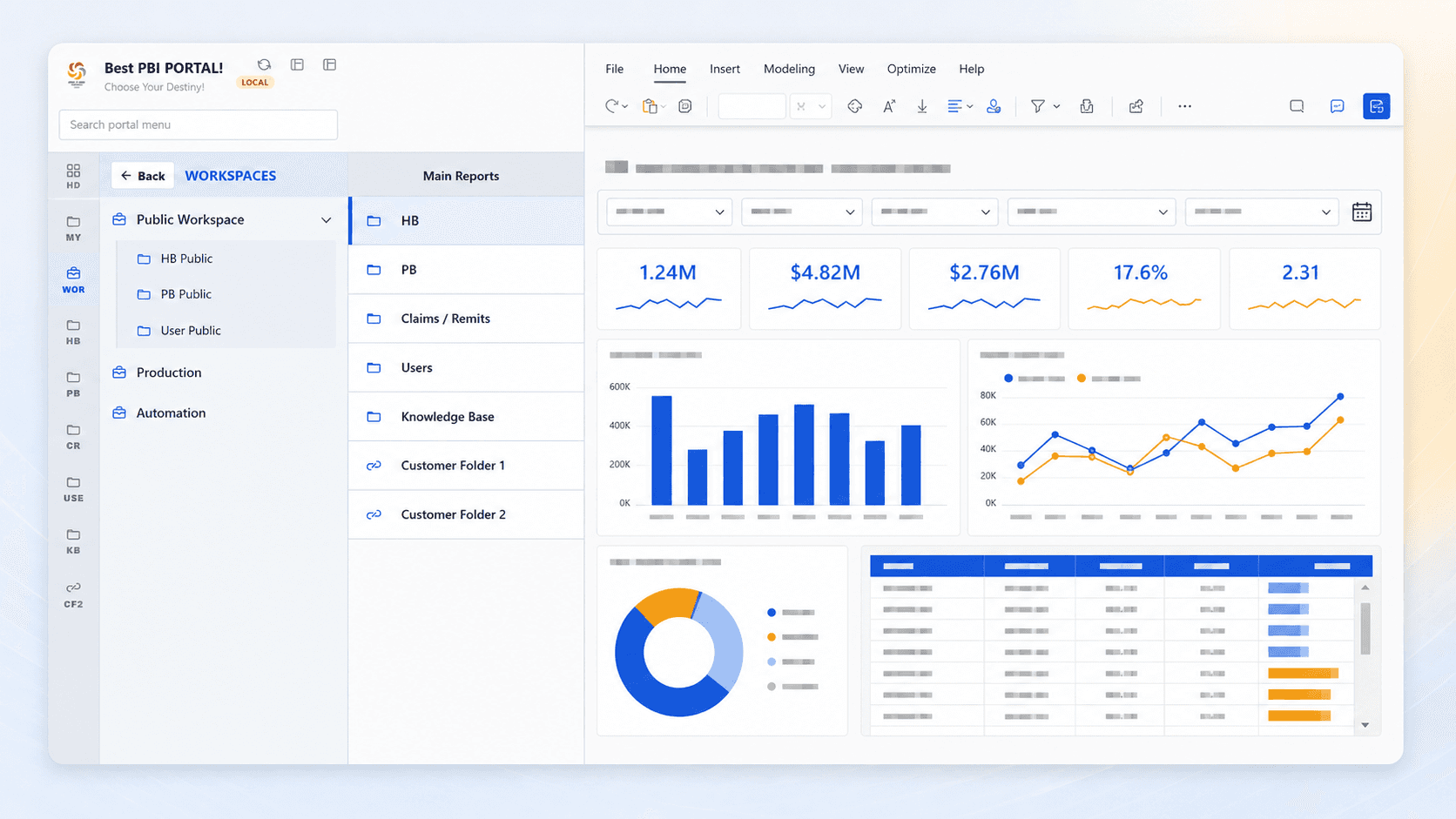
Power BI lacks the centralized, organized sophistication many BI platforms provide. LumioBI brings navigation, personalization, communication, and control together without replacing the reports your teams already rely on or requiring an expensive custom embedded solution.
Unified search
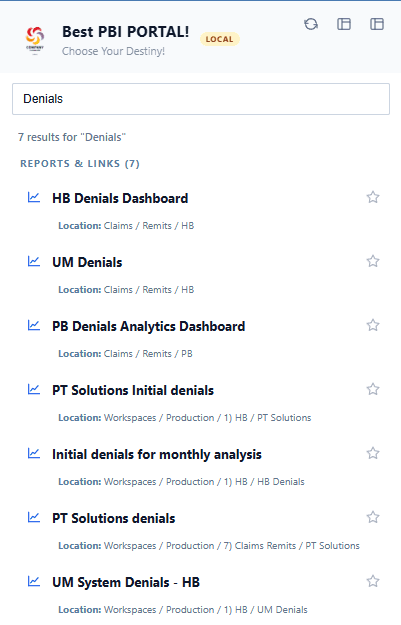
Search across workspaces and custom navigation in one place.
LumioBI brings report links from multiple Power BI and Fabric workspaces together with your custom navigation. Users search once and get one clear, permission-aware set of results.
One search, every destination
Search the portal, not each workspace.
Instead of making people guess where a report lives, LumioBI gives them a unified result list across custom navigation and the workspaces they can access.
10 of 11
One portal. One experience. Make every report, workspace, resource, and update feel connected, whether your people work in Power BI, Fabric, or both.
See LumioBI in actionPractical guide
One starting point for multiple reports
Compare native apps, a report with links, and a LumioBI portal. See how to organize reports around your teams and check the experience before rollout.
Read the Power BI landing-page guideBring your portal into Chrome
See how the LumioBI extension adds portal navigation, search, and favorites alongside Power BI, with installation steps for your team.
Explore the Power BI Chrome extension