Enterprise polish for Power BI
Power BI has the data.
LumioBI gives it a cohesive enterprise experience.
Power BI lacks the centralized, organized sophistication many BI platforms provide. LumioBI brings navigation, personalization, communication, and control together without replacing the reports your teams already rely on or requiring an expensive custom embedded solution.
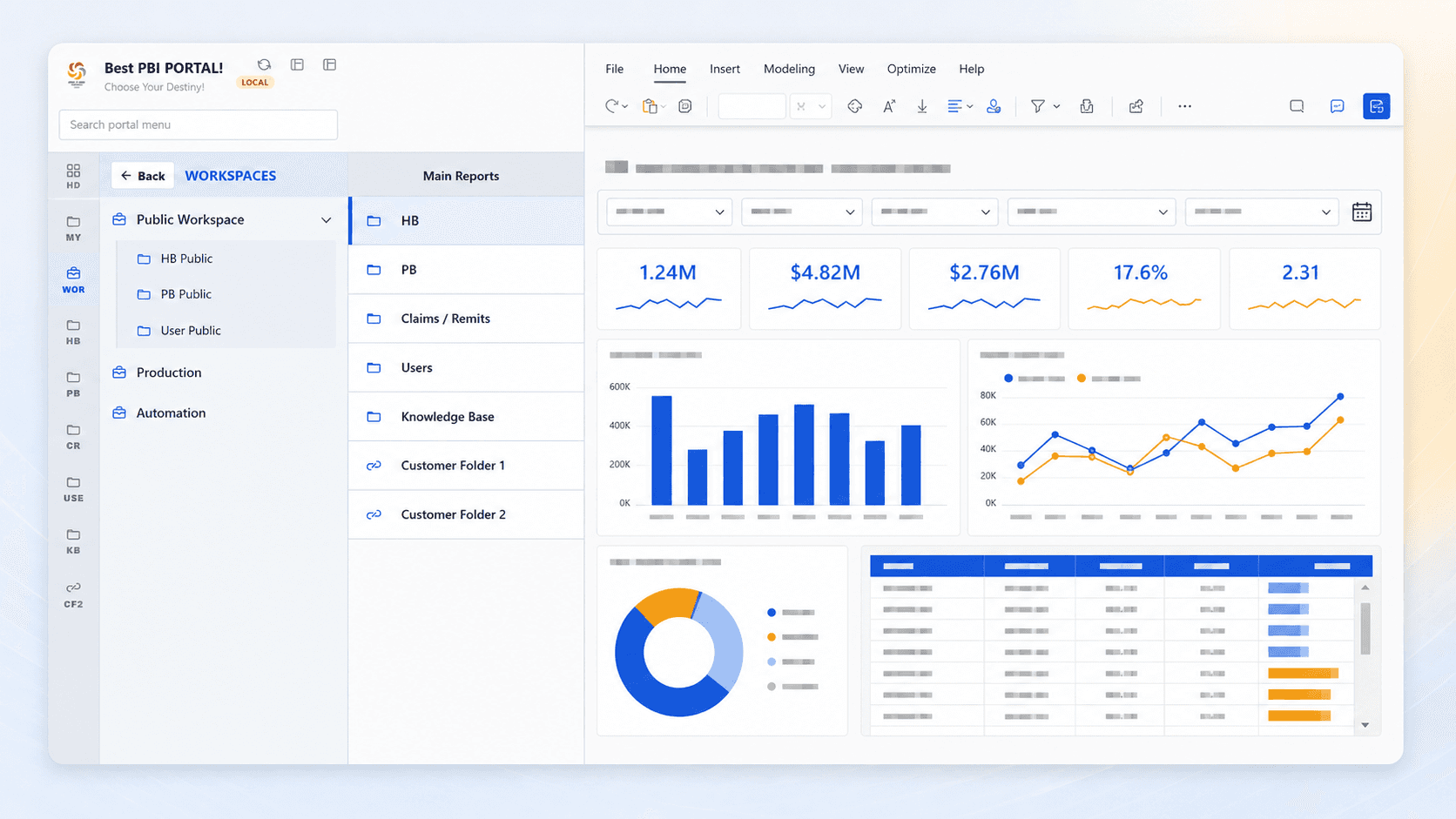
Layered navigation
Create the clear, multi-level hierarchy your business expects.
Build folders, subfolders, workspaces, links, titles, and sections that reflect how your organization thinks, not the way content happens to be stored in Power BI.
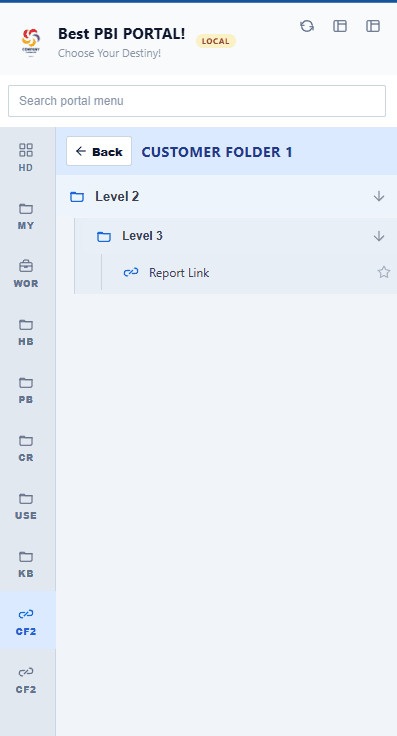
A structure people understand
From broad categories to the exact report.
1. Start with a business area. Give users a familiar, high-level destination.
2. Drill into logical folders. Use as many meaningful layers as the organization needs.
3. Reach the right report. Keep every link discoverable without dumping everything into one list.
2 of 11
One portal. One experience. Make every report, workspace, resource, and update feel connected, whether your people work in Power BI, Fabric, or both.
See LumioBI in actionPractical guide
One starting point for multiple reports
Compare native apps, a report with links, and a LumioBI portal. See how to organize reports around your teams and check the experience before rollout.
Read the Power BI landing-page guideBring your portal into Chrome
See how the LumioBI extension adds portal navigation, search, and favorites alongside Power BI, with installation steps for your team.
Explore the Power BI Chrome extension